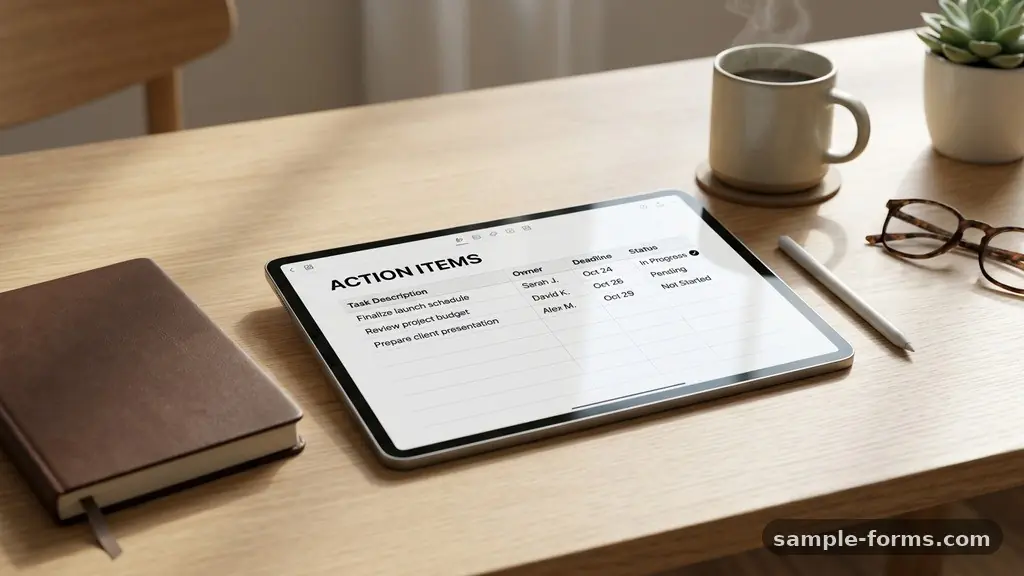
Building a Meeting Action Items Form for Better Follow-Up is one of the most effective ways to transform vague discussions into tangible results. When teams rely on memory or scattered notes, momentum often stalls before the next session begins. By centralizing assignments, deadlines, and project stakeholders into a structured format, you ensure that every participant understands their specific responsibilities.
This approach minimizes confusion and significantly improves the overall trajectory of your projects. If you have been searching for a practical method to increase team output, you are in the right place to learn how to design a system that actually works.
Defining the Core Elements of Your Form
The foundation of an effective tracking system lies in its simplicity and clarity. You should never include unnecessary fields that distract from the primary goal of task completion.
Start by identifying the non-negotiable data points required for every assignment. At a minimum, every entry must include the task description, the individual responsible, and the expected completion date.
Essential fields to include
- Task ID or Reference Number: Useful for long-term tracking.
- Action Item Description: A clear, concise statement of what needs to be done.
- Task Owner: The single individual accountable for the result.
- Due Date: A specific calendar date, not a vague timeframe.
- Status Indicator: Options such as “Not Started,” “In Progress,” or “Completed.”
- Priority Level: High, medium, or low to help with resource allocation.
By standardizing these fields, you create a predictable environment for your team. When everyone knows exactly where to look for their assignments, you reduce the time spent on administrative overhead. This shift allows your team to focus on the actual work rather than guessing what comes next.
Structuring for Accountability and Clarity
Accountability thrives when task ownership is clearly defined and visible to all project stakeholders. If a task is assigned to a group, the likelihood of completion drops significantly because individuals assume someone else will handle it.
Assigning a single owner to each action item prevents this diffusion of responsibility. Your form should explicitly list the name of the person responsible for each line item.
When you design your layout, consider the flow of information during the meeting itself. Placing the most critical or high-priority items at the top of the form encourages team members to address them first.
You might also want to include a column for “Dependencies,” which notes if a task relies on another person’s progress. This level of detail keeps the team aware of how their work impacts the broader project timeline.
Choosing the Right Technology Stack
You do not need expensive software to start building a Meeting Action Items Form for Better Follow-Up. Many teams find success using simple spreadsheets, while others prefer integrated project management tools.
If your organization already uses software like Asana, Trello, or Monday.com, leverage those existing platforms. These tools often include built-in features for automated reminders and progress tracking.
If you prefer a more manual approach, a shared document works perfectly well for smaller teams. The key is to ensure that the document is accessible to everyone in real-time.
Avoid emailing static files back and forth, as this leads to version control issues. A cloud-based spreadsheet allows for simultaneous editing, which is essential for collaborative documentation during or immediately after a meeting.
Comparing Tracking Methods
Choosing the right tool depends on your team’s size and the complexity of your projects. The following table compares common methods for tracking action items to help you decide which fits your workflow.
| Method | Best For | Key Benefit |
|---|---|---|
| Shared Spreadsheet | Small teams, ad-hoc projects | Low barrier to entry, highly customizable |
| Project Management Software | Large teams, complex workflows | Workflow automation, visual timelines |
| Dedicated Meeting Apps | Recurring meetings, formal minutes | Automatic distribution of action items |
| Physical Whiteboard | In-person creative sessions | Immediate visual impact, high engagement |
Integrating SMART Goals into Your Workflow
Every action item recorded in your form should be a SMART goal: specific, measurable, achievable, relevant, and time-bound. A vague task like “improve marketing” is destined to fail because it lacks a clear definition of success.
Instead, frame the item as “Create a draft of the Q3 social media calendar by Friday.” This specificity provides the task owner with a clear target.
When you review your list, check each entry against these criteria. If an item feels too broad, break it down into smaller, actionable steps.
This process not only makes the work more manageable but also provides a sense of accomplishment as items are checked off. Small wins contribute to higher morale and better overall organizational productivity.
Establishing a Consistent Follow-Up Cadence
A form is only as useful as the culture surrounding it. If you build a beautiful template but never reference it, it will quickly become obsolete.
Establish a regular follow-up cadence to review progress during each meeting. Start every session by spending five minutes reviewing the status of previous action items.
This habit reinforces that the document is a living, breathing part of your workflow. It also creates a natural accountability loop where team members are prepared to discuss their progress.
If an item is delayed, use the time to identify blockers rather than assigning blame. This supportive approach encourages transparency and helps you adjust timelines before they become critical issues.
Automating Your Process for Maximum Efficiency
Once your system is in place, look for opportunities to implement workflow automation. Many modern tools can send automatic notifications when a due date approaches.
This reduces the burden on the meeting facilitator to manually chase team members for updates. Automation ensures that nothing falls through the cracks and keeps everyone informed without constant manual check-ins.
Consider setting up triggers that automatically email the meeting summary to all stakeholders once the document is updated. This keeps everyone on the same page, even those who could not attend the meeting.
You can find more information on how to optimize these processes through resources like the Harvard Business Review, which offers extensive research on organizational management. By reducing the manual effort required to manage tasks, you free up time for more impactful work.
Overcoming Common Implementation Challenges
The biggest hurdle to adoption is often the perception that the form is just “more paperwork.” To combat this, keep your form as lean as possible.
Focus on capturing only the data that is actually used to drive decisions. If a field is not being looked at, remove it immediately.
Another common challenge is the lack of engagement from team members. If the team feels like the form is a tool for monitoring rather than supporting, they will be less likely to keep it updated.
Frame the use of the form as a way to reduce their stress by keeping all their responsibilities in one place. When they see the benefits of clear assignments and fewer follow-up emails, adoption will naturally follow.
Frequently Asked Questions
How often should I review the action items list?
You should review the list at the start of every recurring meeting. For projects with longer timelines, schedule a dedicated bi-weekly check-in to ensure nothing is stalling.
What should I do if an action item is consistently delayed?
Delay is usually a sign that the task is either too large, poorly defined, or lacks the necessary resources. Break the task into smaller parts or discuss with the owner what specific support they need to move forward.
Should I include personal tasks in the meeting form?
Keep the form focused on team-level projects and collaborative tasks. Personal to-do lists are better managed in individual task managers to avoid cluttering the team document with irrelevant information.
How do I handle action items that are assigned to external partners?
Include them in your tracking system just like internal tasks, but add a column for “External Contact” to keep track of their email address or primary point of communication. This ensures you maintain visibility even if they don’t have access to your internal software.
Can I combine meeting minutes with the action items form?
Yes, many teams prefer to keep them together. A single document that includes a summary of decisions followed by a table of action items is often the most efficient way to maintain context.
Moving Forward with Better Follow-Up
Mastering the art of building a Meeting Action Items Form for Better Follow-Up takes practice and refinement. Start by implementing a simple version of the form in your next meeting and observe how your team responds.
You will likely notice a significant decrease in confusion and an increase in the speed at which tasks reach completion. Remember that the goal is to create a culture of clarity and accountability where everyone feels supported in their work.
As you refine your process, continue to seek feedback from your team members on what works for them. Adjust your form and your meeting structure based on their input to ensure the system remains relevant and useful.
By prioritizing clear communication and consistent follow-up, you will build a foundation for long-term success. Start small, stay consistent, and watch your team’s efficiency grow.