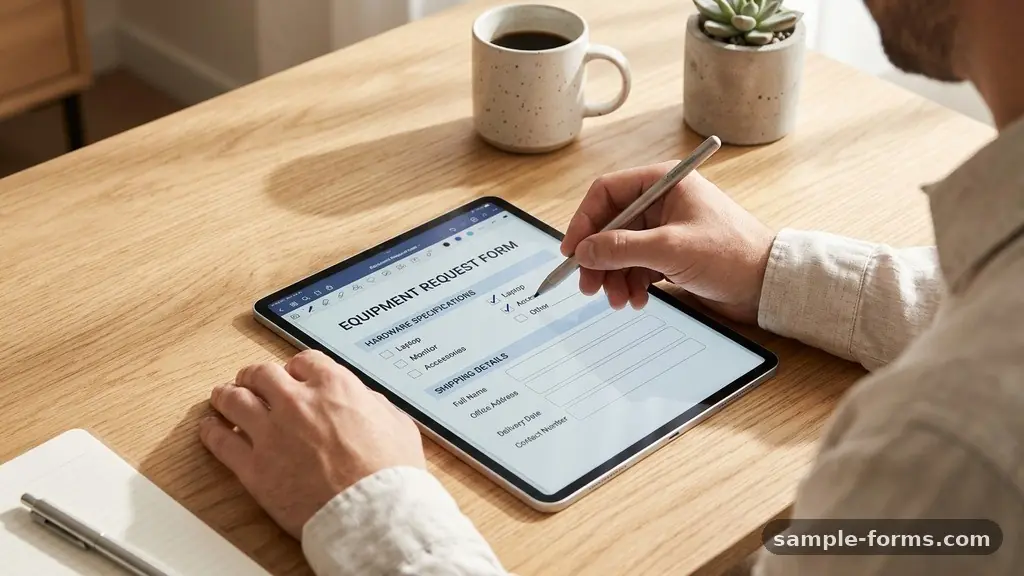
Designing a Remote Work Equipment Request Form is a critical step in building a sustainable and productive distributed workforce. By creating a clear, digital path for employees to secure the tools they need, you minimize downtime and ensure that every team member has the resources required for success. A well-structured intake system prevents ad-hoc spending and simplifies the technical side of managing a remote team.
When you streamline this process, you protect your company’s budget while fostering a culture of trust and clarity. This article explores the best practices for building an efficient workflow that balances employee needs with necessary oversight and asset management.
Defining the Core Information Requirements
To start designing a Remote Work Equipment Request Form, you must first determine what data is essential for approval. Avoid asking for redundant information that adds friction to the process.
Instead, focus on fields that allow your IT or operations team to make a rapid decision. Every form should capture the employee’s name, department, manager, and the specific items they are requesting.
Include a section for the business justification behind the request. This helps managers understand if the equipment is for a new hire, a replacement for broken hardware, or an upgrade to improve efficiency. Gathering this context early reduces back-and-forth emails, which is a major time-saver for growing companies.
You should also require the employee to confirm their current shipping address, even if it is already in your HR system. This prevents costly shipping errors that occur when staff move between home offices.
Selecting the Right Technology Platform
The software you choose to host your form matters significantly for data integrity. Many teams opt for cloud-based form builders like Google Forms, Typeform, or Microsoft Forms because they integrate well with existing email and spreadsheet tools.
These platforms allow you to set up automated notifications whenever a new request is submitted. This ensures that the procurement team is alerted immediately, keeping the onboarding workflow moving.
Think about the security implications of the data you are collecting. Since you are handling employee locations and internal hardware serial numbers, ensure your chosen tool offers robust data privacy compliance. If your company uses a dedicated IT helpdesk platform, use that instead of a generic form.
Native integrations allow you to turn a request into a ticket automatically. This keeps all conversations about the equipment in one central location, preventing important details from getting lost in a chaotic email thread.
Standardizing Your Procurement Categories
Consistency is the enemy of confusion when it comes to hardware requests. By standardizing your procurement options, you help employees understand what is “standard” versus what requires special approval.
Create a dropdown menu that categorizes items into logical groups. This prevents users from guessing how to describe their needs.
Consider using a table structure within your internal documentation or the form itself to clarify expectations. Below is a breakdown of common categories and their typical approval levels.
| Category | Items Included | Approval Level |
|---|---|---|
| Standard Setup | Laptop, mouse, keyboard | Automated/Manager |
| Ergonomics | Ergonomic chair, desk riser | Manager + Budget Lead |
| Performance | Dual monitor setup, dock | Manager |
| Peripherals | Noise-canceling headset, webcam | Automated |
Integrating Ergonomic and Health Standards
Remote work often leads to physical strain if employees do not have the right setup. Your request form should explicitly support the procurement of health-focused gear, such as an ergonomic chair or a standing desk.
Including an office ergonomic assessment as a mandatory prerequisite for these high-cost items is a smart move. This ensures that the equipment requested is actually the right fit for the employee’s specific workspace.
You might want to include a link to a self-assessment guide or a short video on proper desk posture. This adds value to the request process by educating the employee rather than just acting as a gatekeeper. When employees feel that the company cares about their physical well-being, it boosts morale and long-term retention.
Make sure the form asks for the dimensions of their workspace if they are requesting large items. This prevents the shipment of furniture that simply won’t fit in their home office.
Managing Asset Tracking and Inventory
Once an item is approved and sent, the work isn’t done. You need a system to track where that equipment is located at all times.
Integrate your form with an inventory management system so that every request results in an entry in your asset database. This is a critical step for IT hardware provisioning and long-term financial reporting.
Use asset tag tracking to label every piece of hardware before it leaves the office. When an employee receives their gear, ask them to verify the asset tag number within the form or a follow-up email. This creates a clear chain of custody.
If the employee leaves the company, you will know exactly which laptop or monitor needs to be returned. This level of organization saves thousands of dollars in lost hardware over the course of a few years.
Handling Home Office Stipends vs. Direct Procurement
Many companies are moving toward a home office stipend model to simplify the logistics of remote work. If you choose this route, your form needs to change accordingly.
Instead of listing specific hardware, the form should act as a reimbursement request or an internal marketplace link. This shifts the responsibility of item selection to the employee while keeping the company’s budget protected.
However, if you prefer direct procurement, the form needs to be very specific about the models you support. Avoid letting employees choose random brands. By limiting options to a vetted list, you ensure that your IT team can support the hardware when things go wrong.
You can find more information on managing remote equipment standards through resources like the Society for Human Resource Management. Keeping the hardware stack uniform makes troubleshooting much faster and cheaper.
Automating the Approval Workflow
Manual approval processes are the leading cause of delays in remote equipment delivery. Use your form builder’s conditional logic to route requests to the right people.
For example, a request for a standard mouse should go straight to the IT inventory team. A request for a high-end monitor might trigger an email to the employee’s direct manager for budget approval.
This automation creates a predictable timeline for the employee. They should receive an automated confirmation email that tells them exactly what to expect next. Set expectations by including an estimated delivery window in the confirmation message.
Transparency reduces anxiety and cuts down on the volume of “where is my stuff?” emails that the HR and IT departments receive. Even if the process takes two weeks, knowing that the request is in the system provides peace of mind.
Addressing Frequently Asked Questions
What should be included in a standard remote work policy?
A strong policy should outline exactly what the company provides versus what the employee is expected to supply themselves. It should cover usage guidelines, repair protocols, and the process for returning equipment upon termination.
How do I handle equipment repairs for remote employees?
Your request form should include a specific checkbox for “Equipment Repair” or “Hardware Issue.” This should trigger a different workflow than a new request, prioritizing the fix so the employee can get back to work as quickly as possible.
What if an employee needs something not on the list?
Always include an “Other” category or a text box for “Specialized Requests.” This allows for unique scenarios, such as a designer needing a specialized tablet or a developer needing a specific type of server hardware.
How often should we audit our remote assets?
It is best practice to perform a digital audit every six months. Cross-reference your inventory system with your payroll list to ensure you still have a record of every piece of hardware currently in the field.
Should we require receipts for stipend spending?
Yes, always require proof of purchase for any stipend-based reimbursement. This ensures compliance with tax laws and prevents misuse of company funds, keeping your financial records clean and auditable.
Conclusion
Designing a Remote Work Equipment Request Form is about creating a bridge between your company’s operational needs and the daily realities of your remote staff. By focusing on clear categories, automated workflows, and robust asset tracking, you ensure that your team stays equipped without creating unnecessary administrative overhead. This process is not just about moving boxes of hardware; it is about providing the foundation for high-quality work regardless of location.
Start by auditing your current procurement process and identifying the biggest bottlenecks. Once you simplify the intake of requests, you will find that both your IT department and your remote employees feel more empowered and organized.
Keep the form simple, keep the tracking accurate, and you will see the benefits in your team’s productivity. If you are ready to refine your remote work policy, take the first step today by mapping out your essential hardware needs and choosing a platform that scales with your growth.