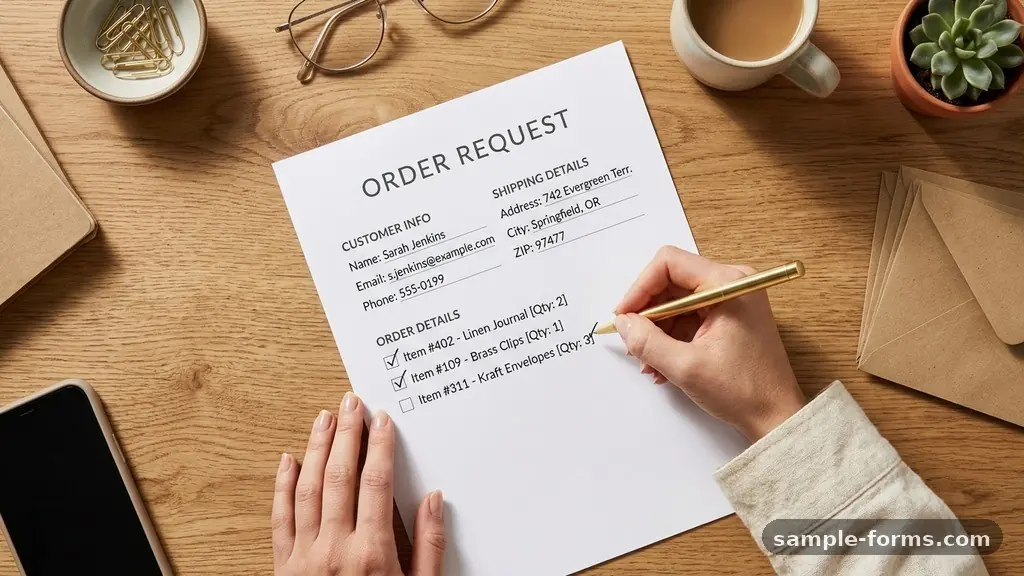
Managing incoming requests is a pivotal moment for any growing enterprise, as a well-structured small business order request form transforms chaotic email threads into a disciplined system. By standardizing how you capture client needs, you reduce errors, save hours of manual data entry, and project a professional image that builds immediate trust.
Implementing a reliable intake process ensures you never miss a critical detail, whether it is a specific color preference or a firm delivery deadline. This guide provides a practical approach to building a system that scales with your ambition, helping you move from reactive correspondence to a proactive, efficient operation that keeps your customers coming back.
Defining Your Essential Data Points
The foundation of any effective order request system is identifying exactly what information you need to fulfill a transaction accurately. You should start by collecting basic contact details, including a full name, email address, and a reliable phone number. Adding a field for the company name is helpful for B2B transactions, as it aids in future invoicing and record keeping.
Beyond contact info, you must capture the specific product or service details. Include a space for SKU identification or a descriptive item name to avoid ambiguity during the fulfillment stage. Providing a dropdown menu or a pre-populated list can prevent typos and ensure the order matches your current inventory levels.
Shipping address verification serves as another critical component of your form. Even if you offer local pickup, asking for a physical address helps verify the client’s location and prepares you for potential future logistics. You might also include a section for “Special Instructions” or “Preferred Delivery Date” to manage expectations early in the order management workflow.
Choosing the Right Digital Platform
Selecting the right tool depends on your technical comfort and your current budget. For many small business owners, Google Forms offers a free and highly accessible starting point that integrates directly with your existing workspace. It is straightforward to set up and allows you to export responses automatically into a spreadsheet for easy tracking.
If you require a more polished aesthetic or advanced logic, platforms like Typeform or Jotform provide a better user experience. These tools allow for conditional logic, meaning the form can change based on the user’s previous answers, which keeps the process feeling personalized and relevant. A high-quality interface often increases completion rates because it feels less like a chore to your clients.
Consider the following factors when evaluating your software options:
- Ease of integration: Does the form connect to your accounting or inventory software?
- Mobile responsiveness: Can your customers easily fill out the form on a smartphone?
- Security features: Does the platform offer encryption to protect sensitive client data?
- Customization: Can you add your brand colors and logo to maintain a professional look?
Integrating Payment Processing
Collecting an order request is only half the battle, as you must also secure payment to finalize the deal. Integrating payment processing directly into your form reduces the friction of chasing down invoices after the request has been submitted. Most modern form builders allow you to connect a payment gateway like Stripe or PayPal, which can hold a deposit or authorize a full charge upon submission.
If you prefer to review the order before taking money, you can use the form to generate a purchase order template that is sent to the customer for approval. This adds a layer of professionalism to the client procurement process and ensures both parties agree on the total cost before any funds change hands. You must be transparent about your payment terms, including any deposits required to secure a production slot.
Automating the payment request allows you to focus on the creative or logistical side of your business rather than administrative follow-up. When a payment is processed automatically, it signals to the customer that their order is officially in the queue. This clarity helps build confidence and reduces the number of “when will this ship?” inquiries you receive.
Structuring for Inventory Tracking
An order form should act as the primary trigger for your inventory tracking system. If you capture the correct item details, you can set up a system that automatically deducts items from your stock levels the moment a request is approved. This prevents the common pitfall of overselling items that are no longer available in your warehouse.
You can organize your product data in a table to ensure consistency across your business. This helps in mapping your digital form inputs to your internal database.
| Item Category | SKU Prefix | Stock Buffer |
|---|---|---|
| Custom Apparel | APP-001 | 10 Units |
| Handmade Goods | HND-002 | 5 Units |
| Digital Assets | DIG-003 | Unlimited |
Having this structure makes it easier to spot when it is time to reorder raw materials or update your website. When your order form is linked to your inventory, you gain real-time visibility into what is moving and what is sitting idle. This data-driven approach allows for smarter purchasing decisions throughout the year.
Ensuring Data Security and Compliance
Handling customer data is a significant responsibility that requires strict attention to security. You must ensure that your small business order request form is compliant with relevant privacy regulations, such as the GDPR or CCPA, depending on where your customers are located. Start by adding a clear privacy policy link to the bottom of your form so customers know how you intend to use their information.
You should also limit the data you collect to only what is strictly necessary. Asking for unnecessary personal details not only risks privacy but can also make customers feel uncomfortable, leading to abandoned forms. Always use encrypted connections (HTTPS) to ensure that data submitted through your form is protected during transit.
For sensitive industries, such as medical services or specialized financial consulting, you may need a platform that offers HIPAA-compliant storage. You can find more information on data protection standards by visiting the Federal Trade Commission’s guidance on business privacy. Taking these steps early establishes your brand as a trustworthy entity that respects the privacy of its clientele.
Automating Communication Workflows
Manual confirmation emails are a major time sink that can be easily solved with automation. Once a customer hits the submit button, your form software should trigger an automated email confirmation that summarizes their order. This immediate feedback loop reassures the customer that their request was received successfully and is being processed.
You can further enhance this by creating a series of automated status updates. For example, send a secondary email when you move the order from “Pending” to “In Production,” and a final email when the shipping label is created. These touchpoints keep the customer informed and significantly reduce the volume of incoming support emails.
Consistency in these communications is key to maintaining a professional brand identity. Use a friendly, helpful tone that reflects your company culture, even in automated messages. By setting clear expectations early, you eliminate the anxiety that customers often feel when waiting for a custom order.
Handling Tax and Shipping Calculations
Calculating taxes and shipping costs manually is prone to human error and often leads to awkward conversations about price adjustments. You can avoid this by using built-in calculation features or by integrating your form with a shipping calculator API. These tools can estimate costs based on the customer’s location, which is then reflected in the final order total.
Tax calculation can be complex, especially if you sell across state or international lines. Many form platforms offer integrations that automatically apply the correct tax rate based on the shipping address provided. This ensures you are always collecting the right amount and simplifies your end-of-year tax filing process.
If you offer flat-rate shipping, make sure this is clearly stated on the form before the final submission. If shipping is calculated based on weight, ensure your product data includes accurate weight measurements for every SKU. Providing a clear breakdown of costs increases transparency and reduces the likelihood of order disputes.
Refining the Client Procurement Process
The way a customer interacts with your order form is often their first experience with your operational efficiency. A clunky, confusing form can drive away potential sales, while a streamlined, intuitive process makes you look like a pro. Regularly review your form’s performance to identify where people are dropping off or getting stuck.
Ask a few trusted clients or friends to test your form and provide honest feedback. Pay attention to questions they might ask or fields they find confusing, and adjust the language accordingly. A small change, like adding a tooltip icon next to a field to explain why you need a specific piece of information, can make a massive difference.
Finally, ensure you have digital signature fields if you require a formal contract or waiver for your services. This allows you to combine the order request and the legal agreement into a single action. By simplifying the path to purchase, you make it easier for your customers to say “yes” to your business.
Frequently Asked Questions
What is the most important field to include in an order form?
The most important field is the customer contact information, specifically a verified email address. Without a way to reach the customer, you cannot confirm the order, send invoices, or provide updates on shipping status.
How do I prevent spam submissions on my order forms?
Most modern form builders include built-in CAPTCHA or reCAPTCHA features that verify the user is a human. You can also implement a simple “honeypot” field that is invisible to humans but triggers a spam block if filled out by a bot.
Should I use a separate form for every product I sell?
It is generally better to use a single, well-structured form that uses conditional logic to show relevant product options. This centralizes your data and makes it much easier to manage your order management workflow from one location.
How often should I update my order request form?
Review your form at least every quarter to ensure your inventory list is accurate and your pricing is current. You should also update the form whenever you introduce new products or change your shipping policies to keep the information provided to the customer relevant.
Can I use a form to collect recurring orders?
Yes, many form platforms allow you to set up recurring payment subscriptions via integrated payment gateways. This is a great way to manage repeat business without having to send a new order request form for every single transaction.
Building Your Future Operations
Establishing a robust Small Business Order Request Form is a foundational step toward scaling your operations while maintaining high service standards. By automating the intake process, you free yourself to focus on the core value you provide to your customers. Remember that a great form is never truly finished; it should evolve as your business grows and your product line expands.
Stay attentive to the feedback your customers provide and use that information to refine your processes continuously. By investing the time now to build a clear, secure, and automated system, you create a sustainable path for your business to thrive in the long term.
Start by auditing your current intake process today and identify the single biggest bottleneck you face during the order management workflow. Once you resolve that, you will find it much easier to tackle the next phase of your growth.