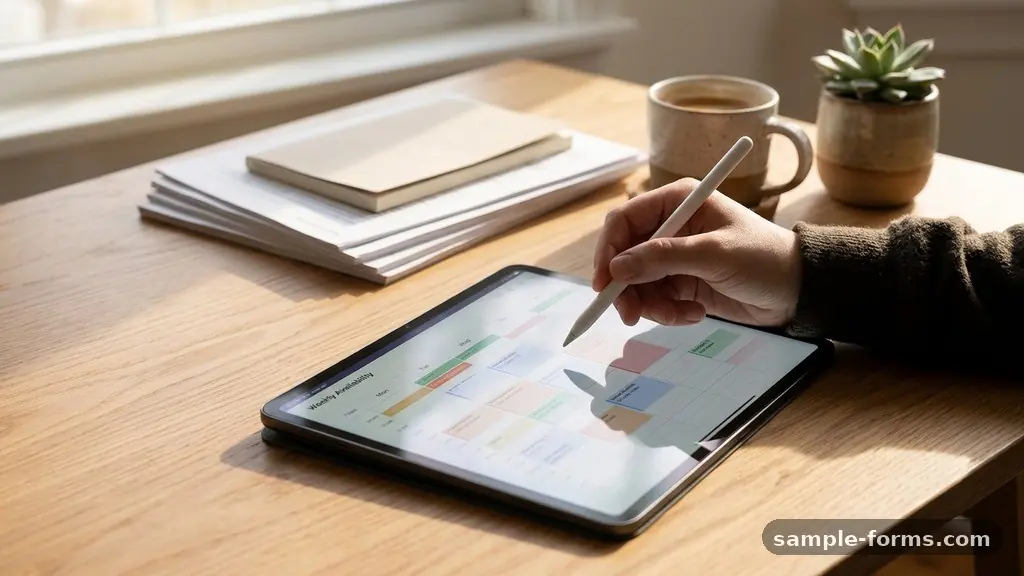
Making an Employee Availability Form for Weekly Scheduling is a fundamental step toward building a reliable, stress-free roster for your team. By collecting precise data on when your staff can actually work, you minimize last-minute coverage gaps and reduce the administrative burden of constant schedule changes.
This process transforms your workforce management from a reactive fire-fighting exercise into a proactive strategy that respects individual needs while meeting your peak business hours. Whether you are running a small cafe or managing a large retail floor, the right form ensures you have the right people in the right places at the right time.
Defining Your Essential Scheduling Requirements
Before you build a single field, you must identify the specific constraints of your business model. Do you operate on a fixed shift rotation, or do you need staff for irregular, fluctuating hours? Understanding these patterns allows you to determine whether you need a static weekly form or a dynamic tool that adapts to changing demand.
You should list out your specific operating hours and the minimum headcount required for each shift block. This data acts as the backbone of your scheduling process, ensuring that any availability provided by staff is measured against actual business needs. If you ignore these operational realities, you might end up with a surplus of staff during quiet Tuesday mornings and a deficit during Friday rushes.
It is helpful to categorize your scheduling needs into primary, secondary, and emergency coverage tiers. This helps employees understand the importance of their responses and encourages accuracy when they fill out the form. By clearly defining these requirements, you set professional expectations from the very first interaction.
Choosing the Right Digital Platform
The most effective way to collect this information is through a cloud-based platform that allows for automated data aggregation. Google Forms remains a popular choice for many because it integrates directly with spreadsheets, making it easy to sort and filter responses. If you prefer a more polished, user-friendly interface, services like Jotform or Typeform offer advanced logic features that can hide or show questions based on previous answers.
When selecting your tool, consider how the data will flow into your existing scheduling software. Many modern management systems can import CSV or Excel files, so ensure your chosen form builder can export data in those formats. This reduces manual entry errors and saves you significant time every single week.
You should also test the mobile responsiveness of your chosen form before sending it to your team. Most employees will check and fill out these forms on their phones during their commute or at home. If the interface is clunky or difficult to navigate on a small screen, your response rate will inevitably suffer.
Structuring the Form for Clarity
A well-organized form should always start with basic identification fields, such as name, department, and the specific week the availability covers. This ensures you never have to guess who submitted a response or which period they are referring to. Use dropdown menus for names to prevent typos and ensure consistency for your records.
Follow these identification fields with a clear, grid-style section for daily availability. A matrix format is often the most intuitive way for users to indicate when they are free, partially available, or completely unavailable. Avoid long, open-ended text boxes, as these are difficult to quantify and compare during the actual scheduling process.
Include a section specifically for recurring availability versus one-off exceptions. This allows staff to set their standard weekly windows while still having the flexibility to note a doctor’s appointment or a specific event. By separating these two, you save your staff from having to re-enter their entire schedule every single week.
Implementing Logic for Better Data
Advanced form builders allow you to use conditional logic to improve the quality of the information you receive. For instance, if an employee selects “Unavailable” for a specific day, you can trigger a hidden field asking for a brief reason or a request for time-off. This keeps your main view clean while providing necessary context for your management decisions.
You can also use this logic to enforce minimum notice periods for time-off requests. If an employee indicates they need a day off within the next 48 hours, the form can display a reminder about your company’s official communication protocols. This helps manage expectations and reduces the frequency of last-minute schedule disruptions.
Be careful not to overcomplicate the logic, as too many branching paths can confuse the user. The goal is to make the process faster, not more tedious. Keep the flow linear and predictable so that your staff can complete their submission in under three minutes.
Optimizing for Labor Cost Control
Your availability form is a powerful tool for labor cost control when used alongside your budget tracking. By comparing employee shift preferences against your peak business hours, you can identify opportunities to optimize staffing levels. If you notice a pattern where your most expensive staff members are only available during slow periods, you can adjust your hiring or scheduling strategy accordingly.
Use the data to identify which employees consistently have the most flexible schedules. These individuals are often your best candidates for covering unexpected shifts or last-minute call-outs. Having this information readily available allows you to reach out to the right person immediately, rather than calling through your entire roster.
Consider adding a field where employees can indicate their willingness to pick up extra shifts on short notice. This creates a “standby” list that you can reference during emergencies. It empowers your staff to increase their earnings while providing you with a reliable safety net for your operations.
Comparing Data Collection Methods
Choosing the right method for your team depends on your business size and current technical infrastructure. The table below outlines how different approaches compare in terms of effort and utility for managers.
| Method | Setup Effort | Data Accuracy | Best For |
|---|---|---|---|
| Paper Forms | Low | Low | Very small teams |
| Email/Text | Medium | Low | Ad-hoc scheduling |
| Online Forms | Medium | High | Scaling businesses |
| Integrated Apps | High | Very High | Large, complex teams |
Each of these methods has a place, but online forms strike the best balance for most growing businesses. They provide a structured digital trail that is far easier to reference than a stack of papers or a long thread of text messages. If you are currently using email or text, transitioning to a dedicated form will immediately improve your organization.
Managing Time-Off Requests and Communication
Your availability form should clearly distinguish between general availability and formal time-off requests. While an employee might be unavailable for a shift, a formal request for vacation or personal time requires a different approval workflow. Ensure your form includes a checkbox or a separate section for these specific requests to prevent them from getting lost in the shuffle.
Establishing clear communication protocols is essential when you introduce a new system. Explain to your staff that the form is the primary source of truth for their availability. If they fail to submit their form by the deadline, they should understand that the schedule will be created based on their last known availability or a default shift pattern.
Transparency builds trust, especially regarding scheduling. When you use their submitted information to create a fair and balanced rotation, show them the result.
Providing a clear, accessible view of the schedule prevents misunderstandings and encourages staff to take the form-filling process seriously. You can read more about best practices for fair labor standards to ensure your scheduling policies remain compliant.
Addressing Frequently Asked Questions
How often should employees update their availability?
Most managers find that a weekly submission is the sweet spot for balance. It provides enough frequency to capture changes while keeping the administrative burden low for the staff.
What happens if an employee misses the submission deadline?
It is important to have a clear policy in place. Many businesses default to the previous week’s availability or assign the employee to a “flexible” status until they provide an update.
Should I include a comments box for every day?
Avoid this if possible, as it leads to inconsistent data. Instead, include one general “Notes or Special Requests” box at the end of the form to keep the core data clean and easy to export.
Can I use the same form for every employee?
Yes, a standardized template design works best for most teams. It ensures you collect the same data points from everyone, which makes comparing shift preferences much faster during the planning phase.
How do I handle last-minute changes after the schedule is posted?
Encourage staff to use a specific communication channel—like a team app or email—for changes that occur after the deadline. This keeps your primary data source accurate while allowing for the necessary flexibility of real-world operations.
Maintaining Long-Term Scheduling Success
Consistency is the secret to a successful scheduling process. Once you have built your form, stick to a rigid weekly cadence for sending, receiving, and reviewing the submissions. If you treat the process as a casual suggestion rather than a core operational requirement, your staff will quickly stop prioritizing it.
Review your process every quarter to see if it still serves your needs. As your business grows or your peak business hours shift, you might need to add or remove fields to keep the information relevant. Do not be afraid to iterate on your template design to make it even more efficient for your team.
Ultimately, making an Employee Availability Form for Weekly Scheduling is about respecting your staff’s time as much as your own. When you give them a clear, professional way to tell you when they are available, you reduce friction and create a more positive work environment.
By focusing on clarity and consistency, you will find that your weekly scheduling becomes a routine task rather than a constant source of stress. Start by implementing a simple version today and refine it as you learn what works best for your specific business needs.