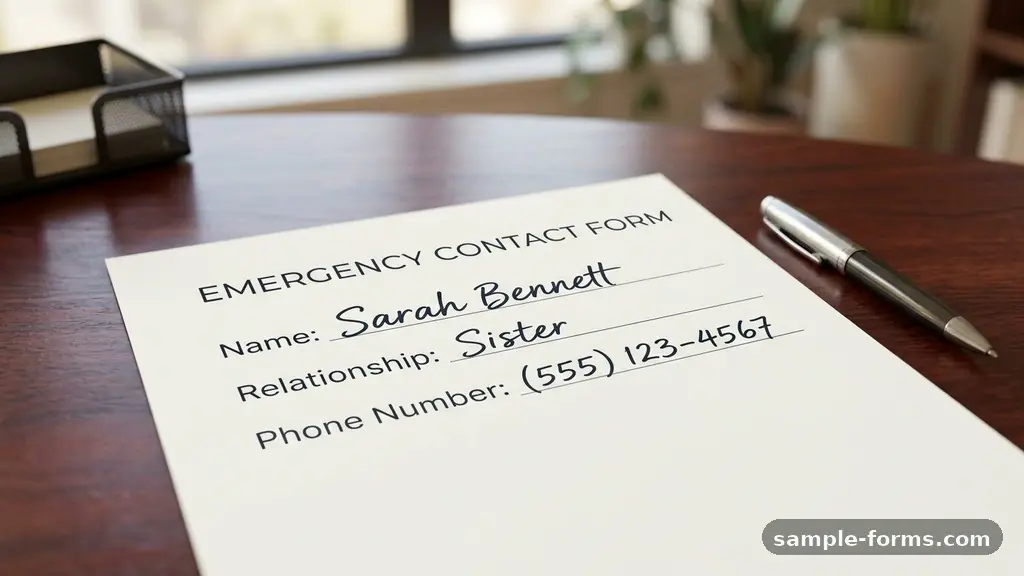
Creating an effective emergency contact form is one of the most practical steps you can take to ensure safety in your workplace, school, or home environment. When an unexpected crisis occurs, having organized, accessible data can save precious minutes for first responders and site administrators.
By including specific details like a primary point of contact, relevant health history, and insurance coverage, you provide a roadmap for those tasked with managing the situation. This article outlines the essential elements that every emergency contact form should include to remain functional, accurate, and ready for any urgent scenario that might arise.
Core Contact Details for Immediate Outreach
The most vital component of any document is the ability to reach someone who can make decisions. You should start by collecting the name, relationship, and multiple phone numbers for the primary point of contact. It is helpful to ask for a cell phone, work number, and home landline to ensure that at least one line of communication remains open.
Beyond the primary individual, always request a secondary contact who can be reached if the first person is unavailable. This person is often a spouse, parent, or legal guardian depending on the age and status of the individual. Make sure the form includes a space for the relationship to the person, such as “spouse,” “sibling,” or “parent.”
Consider adding a field for the preferred language of the contact person. If an emergency responder needs to communicate critical information, knowing that a relative speaks a primary language other than English can prevent dangerous misunderstandings. Consistency in how these details are formatted—standardizing them in a clean table or list—ensures that a supervisor can scan the document and dial a number without hesitation.
Essential Medical Background Information
A medical history section provides first responders with the context they need to treat an individual safely and effectively. You should include a dedicated space for known medical conditions, such as diabetes, epilepsy, or heart conditions. This information helps responders prioritize their assessment and avoid treatments that might interact negatively with existing health issues.
Allergies represent another critical category that needs prominent placement on the page. Specifically, identify allergies to medications, latex, or common food items, as these can trigger severe reactions during a crisis. If an individual has a severe allergy that requires an EpiPen, note that detail clearly so that staff can assist in administering it if necessary.
Keep the medication list current and specific. Include the name of the drug, the dosage, and the frequency of administration.
While this might seem like a lot of detail, it prevents dangerous drug interactions if a medical team needs to administer emergency medicine. You can learn more about how these records support patient care by reviewing the Electronic Health Record guidelines provided by HealthIT.gov.
Navigating Insurance and Financial Logistics
When an emergency requires a trip to the hospital, having health insurance details readily available streamlines the intake process. An effective template should request the insurance provider’s name, the policy number, and the group number. This information allows hospital staff to verify coverage quickly, reducing administrative delays during a high-stress moment.
It is also helpful to include the name and contact information for the primary physician or the clinic that holds the individual’s full medical file. If the attending physician knows the patient’s history, they can often provide guidance over the phone to the emergency room team. This link between the site of the emergency and the patient’s regular care provider is a vital, yet often overlooked, bridge.
Keep in mind that insurance cards are sometimes misplaced or left in vehicles. Having a photocopy of the front and back of the insurance card attached to the emergency form provides a reliable backup. You may also want to include a field for the pharmacy name and location, as this simplifies the process of picking up necessary prescriptions after a medical event.
Legal Documentation and Authorization
In situations where a person is incapacitated, legal authority becomes the deciding factor in medical treatment. You should ask whether the individual has a designated power of attorney who is authorized to make health decisions on their behalf. If this document exists, it should be referenced or kept in a secure, known location alongside the emergency form.
HIPAA authorization is another layer of legal protection that families often need to navigate. By signing a release form, an individual grants specific people the right to receive updates about their medical status from hospital personnel. Including a note on your form indicating that this authorization is on file can save families hours of frustration when trying to get information from medical staff.
If the individual is a minor, the information regarding the legal guardian is paramount. This should include the guardian’s full name, address, and legal documentation if they are not the biological parent. These details ensure that the facility or employer is protected and that the correct person is authorized to consent to medical procedures.
Standardizing Data for Quick Reference
Organization matters when every second counts. Using a consistent layout allows anyone—from a safety officer to a camp counselor—to find the right information without scanning through paragraphs of text. A structured format makes the document scannable and reliable.
The following table demonstrates how you might organize the most urgent data points for a quick-access template.
| Category | Required Information |
|---|---|
| Primary Contact | Name, Relation, Mobile, Work Phone |
| Medical Needs | Allergies, Chronic Conditions, Current Meds |
| Healthcare | Insurance Provider, Policy #, Physician Contact |
| Legal | Power of Attorney, HIPAA Release Status |
This layout ensures that the most critical, life-saving information is grouped together. By separating contact details from medical history, you allow the reader to prioritize their actions based on the specific type of emergency they are managing.
Integrating Workplace Safety Protocols
An emergency contact form is only one piece of a broader emergency response plan within a professional or organizational setting. Employers should encourage staff to update their information annually to keep records accurate. When people move, change jobs, or switch insurance providers, the existing forms can quickly become obsolete.
Workplace safety protocols should dictate where these forms are stored. They must be accessible to authorized personnel but protected from unauthorized eyes to ensure data privacy. Some organizations use encrypted digital databases, while others prefer physical binders kept in a secure, centralized office location.
Regular drills help test whether the current system works. During a simulation, verify that the contact information on file is actually current by asking employees to check their data. If the information is outdated, the entire response plan loses its effectiveness, regardless of how well the form itself is designed.
Commonly Requested Data Points
When building your template, you may wonder which details are truly necessary versus which are just “nice to have.” Focus on data that directly impacts the safety or treatment of the individual. The following list represents the essential items that should appear on every standard form:
- Full legal name and date of birth
- Blood type, if known
- Primary and secondary emergency contact names and phone numbers
- List of current medications and dosages
- Documented history of severe allergies
- Primary physician’s name and office phone number
- Health insurance carrier, policy number, and group ID
- Special instructions for medical responders
Limiting the form to these essential items prevents it from becoming cluttered. If you add too many optional fields, you increase the burden on the person filling it out, which may lead to incomplete responses. Stick to the core information that facilitates rapid communication and appropriate care.
Frequently Asked Questions
How often should emergency contact information be updated?
You should review and update your emergency contact information at least once a year. Additionally, update the form immediately following significant life events, such as a change in address, a new job, a change in medical status, or a change in your primary contact’s phone number.
Is it better to keep these forms digital or physical?
Both methods have merits, but a hybrid approach is often best. A digital file is easier to update and search, while a physical copy in a designated “emergency folder” ensures that responders can access the data even if the power is out or computers are down.
What should I do if I don’t know my blood type?
You do not need to list your blood type if it is not officially known. Medical professionals will always perform a blood type test upon admission to a hospital before any transfusion is necessary, so leaving this field blank is perfectly acceptable and safer than guessing.
Can I include sensitive information like social security numbers?
It is generally recommended to avoid putting full social security numbers on standard emergency contact forms. Most medical providers and emergency responders do not need this number to provide immediate care, and keeping it off the form reduces the risk of identity theft.
Who should have access to these forms in a workplace?
Access should be restricted to a small, designated group of individuals, such as the HR manager, the safety officer, or a specific supervisor. Everyone who has access to these forms must be trained on privacy protocols to ensure that sensitive medical and contact data remains confidential.
Maintaining Reliable Emergency Records
An effective emergency contact form serves as a vital bridge between a person in distress and the help they need. By focusing on essential information like health history, insurance details, and reliable points of contact, you create a robust safety net that functions exactly when it is needed most. Remember that a form is only as good as the information within it; regular updates and clear storage protocols are just as important as the design of the document itself.
Taking the time to organize these details shows a commitment to well-being that benefits everyone in your home or workplace. Whether you are managing a small team or simply organizing your family’s vital records, the effort spent on this documentation provides peace of mind. Start by gathering the necessary information today, and ensure that your emergency contact form is ready to support you and your loved ones in any unexpected situation.