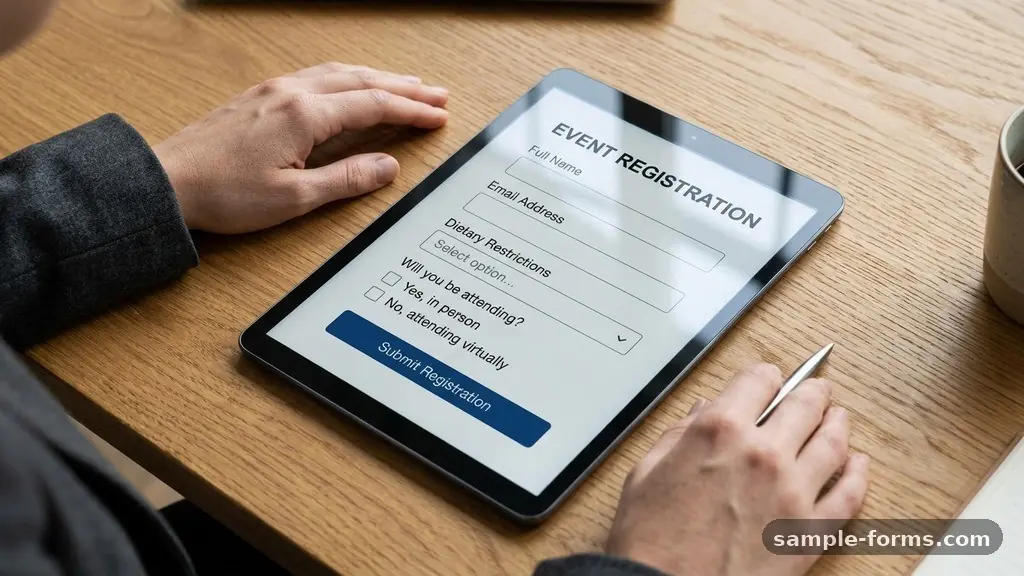
Managing guest information effectively starts long before the doors open, and using an event attendance form is the most reliable way to capture essential details. When you streamline your data collection strategy, you reduce the chaos of last-minute changes and ensure your event logistics run smoothly. By gathering accurate information from the start, you gain the clarity needed to handle everything from catering requirements to badge printing.
This approach transforms a stressful planning phase into a structured process that benefits both the organizer and the guest. Investing time in your digital intake system now saves dozens of hours of manual follow-up later.
Core Data Points for Every Attendee
To build an effective system, you must identify exactly which pieces of information are vital for your specific event. Most organizers start with basic contact details like full names, email addresses, and phone numbers.
These are the foundation of your guest list automation and allow for direct communication regarding schedule changes or venue updates. If you are hosting a corporate conference, you might also require job titles and company affiliations to help with networking and attendee demographics.
Beyond the basics, you should consider what information is necessary to ensure a comfortable experience for your guests. Dietary restrictions are a mandatory field for any event involving meals, as knowing these preferences weeks in advance allows you to coordinate with catering staff effectively.
You might also want to ask about accessibility requirements to ensure your venue is prepared for all mobility needs. Collecting this data early helps you avoid the frantic scramble that often occurs when guests arrive with unannounced needs.
Selecting the Right Digital Platform
Choosing where your data lives is just as important as deciding what to ask. Many organizers lean on tools like Google Forms because they are free, familiar to users, and integrate easily with spreadsheet software.
If you require a more professional look or need complex logic, such as showing different questions based on a guest’s ticket type, services like Typeform or Jotform offer advanced features. These platforms often provide better visual customization, which can improve your conversion rates for registration.
When evaluating platforms, consider how they handle your data storage. A robust platform should allow you to export your data into a format that can be easily imported into a CRM integration for future use.
Some platforms offer real-time notifications, which allow you to track your registration numbers as they fluctuate throughout the week. You should also verify if the platform offers mobile-friendly interfaces, as most of your guests will likely register using their smartphones.
Balancing Data Collection and User Experience
While you might want to know everything about your guests, asking too many questions often leads to high abandonment rates. A successful event attendance form should be long enough to be useful but short enough to respect the guest’s time.
Focus on the “must-haves” first and move optional questions to the end of the form. This keeps the initial barrier to entry low while still allowing you to gather deeper insights from those willing to provide them.
Think about the flow of your questions to make the process feel logical. Start with the easiest identifiers before moving into more specific requirements like workshop selections or transportation needs.
Providing clear instructions or a progress bar can also encourage guests to finish the submission. If you are asking for sensitive information, include a brief note on how that data will be used and protected to build trust.
Managing GDPR Compliance and Data Privacy
Handling personal information comes with significant responsibilities, especially when your guest list includes international participants. GDPR compliance is not just a legal requirement but a standard of practice that protects your professional reputation.
Ensure your form includes a clear consent checkbox regarding how you intend to use their data and whether you plan to share it with sponsors or partners. This transparency is essential for maintaining a positive relationship with your attendees from the very first interaction.
Data privacy extends to how you store and secure the information once it has been collected. Avoid keeping sensitive files in unencrypted folders or sharing them via unsecured email attachments.
If you are using a third-party tool, check their privacy policy to ensure they meet industry standards for data protection. Taking these steps prevents potential leaks and ensures you are respecting the privacy of everyone who signs up for your event.
Integrating Forms with Event Logistics
Your attendance form serves as the primary engine for your event logistics, from room assignments to resource allocation. By feeding this data directly into your planning software, you can perform accurate event capacity planning without relying on guesswork.
For example, if you know that 60% of your attendees signed up for a specific breakout session, you can assign them to a larger room well before the event date. This level of preparation prevents overcrowding and ensures your resources are distributed where they are actually needed.
The data you collect also dictates your onsite check-in process. If you have gathered full names and ticket IDs, you can print badges or prepare digital QR codes in advance.
This reduces the time guests spend standing in line, which is one of the most common pain points at large gatherings. A smooth entry experience sets the tone for the entire event and helps guests feel valued from the moment they arrive.
Comparing Common Registration Methods
Different events require different approaches to data collection, and it is helpful to see how various methods stack up against each other. The table below outlines how common registration solutions compare in terms of cost, ease of use, and integration potential for your planning team.
| Platform | Best For | Ease of Use | Integration Level |
|---|---|---|---|
| Google Forms | Small, budget-friendly events | High | Basic (Spreadsheets) |
| Typeform | Engagement-focused registration | High | Advanced (API/Webhooks) |
| Jotform | Complex, payment-heavy forms | Medium | High (CRM/Payments) |
| Eventbrite | Public ticketing and sales | Medium | High (Dedicated ecosystem) |
Automating the Follow-Up Process
Once a guest submits their information, the work shouldn’t stop there. Using automated triggers, you can send immediate confirmation emails that include a summary of their registration details and the event calendar.
This simple step confirms that their data was received and provides them with a record of their selections. If your event has a waitlist, automation can also handle the process of notifying people when a spot opens up, saving you manual administrative labor.
Automated reminders are equally important for reducing no-show rates. Sending an email three days before the event with a link to their registration details or a digital ticket can drastically improve attendance numbers.
You can also use this opportunity to ask for any last-minute updates to their dietary or accessibility requirements. Providing these automated touchpoints keeps your event top-of-mind and ensures your guests feel organized and informed.
Key Milestones for Your Guest List
Managing an attendee list requires a clear timeline to ensure you don’t miss critical deadlines for catering and security. Use the following list as a guide for your preparation steps to keep your planning on track.
- Four weeks out: Launch the registration form and distribute the link via email or social media channels.
- Three weeks out: Review initial registration numbers to adjust your event capacity planning and room assignments.
- Two weeks out: Send a mid-point reminder to those who have not yet registered to boost your final numbers.
- One week out: Close the registration form to finalize catering counts and print attendee badges.
- Three days out: Send final event details, parking instructions, and a digital copy of the schedule to all confirmed guests.
Frequently Asked Questions
What is the best way to handle last-minute registration changes?
The most effective way to handle changes is to provide a link in your confirmation email that allows guests to edit their own responses. This reduces the burden on your team and ensures the data remains accurate without manual intervention.
How do I handle dietary restrictions for a large group?
Create a categorical dropdown menu on your form that lists common restrictions like vegetarian, vegan, gluten-free, and nut-free. This allows you to export the data into a clean report for your catering team rather than parsing through dozens of individual notes.
Should I charge for tickets through the form?
If you need to collect payments, it is usually safer to use a dedicated platform that handles secure payment processing. Using a form tool that lacks PCI compliance can put you and your guests at risk of data theft.
What if I need to collect files like resumes or headshots?
Many modern form builders allow for file uploads directly into the submission. Ensure your storage settings are configured to handle the size of these files and that they are automatically saved to a secure cloud folder.
How can I track where my attendees are coming from?
You can use UTM parameters in your registration link to track which marketing channels, such as social media or email newsletters, are driving the most sign-ups. This data is invaluable for future event marketing strategies.
Conclusion
Organizing guest information is a foundational step in hosting a successful gathering. By implementing a well-structured event attendance form, you ensure that your logistics are supported by accurate, actionable data. From managing dietary needs to streamlining the check-in process, the effort you put into your digital intake system directly translates to a better experience for your guests.
Start by selecting a platform that fits your specific needs and keep your questions focused on what is truly essential. As you refine your approach, you will find that the administrative burden lightens, allowing you to focus on the event itself. We invite you to begin building your form today and see how much more efficient your next planning cycle becomes.