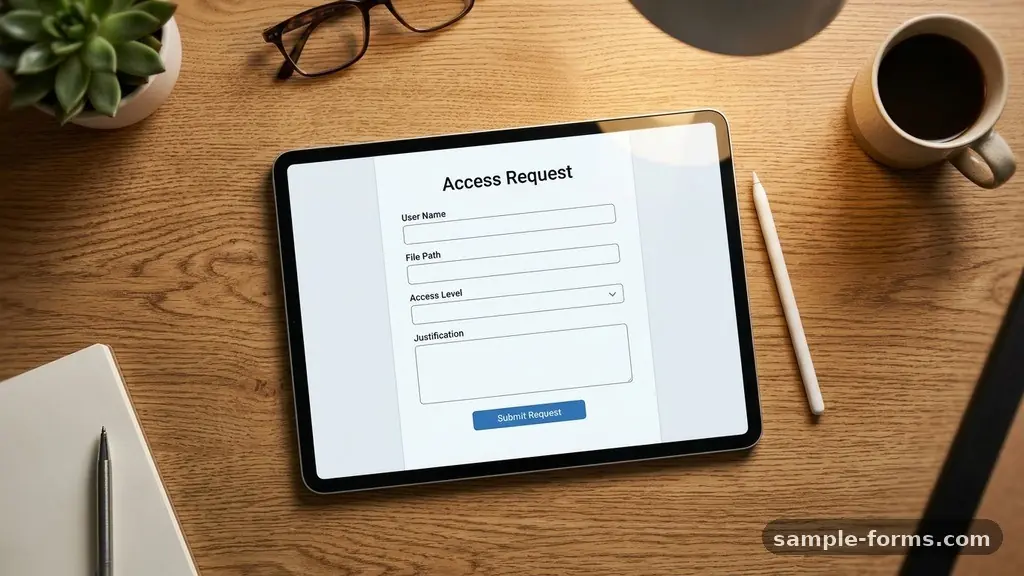
Managing sensitive information requires clear, standardized procedures to ensure that only authorized personnel can view or edit specific data. By creating a Digital File Access Request Form, you establish a formal record that simplifies internal audits and strengthens your overall security posture. This process moves away from informal email requests, which often lack the necessary documentation for compliance and tracking.
Whether you are a small business owner or an IT administrator in a large enterprise, implementing a structured request workflow is a foundational step in robust data governance. You will learn how to design these forms to capture essential details while maintaining high standards for IT security and user authentication.
The Core Components of a Request Form
To create an effective Digital File Access Request Form, you must identify the specific information required to grant permission safely. Start by collecting the user’s name, department, and direct manager to establish accountability. You should also include a field for the specific file path or folder name, which helps the IT team verify the exact location of the assets.
Including a justification field is equally important, as it forces the requester to explain why they need access. This simple step often reduces unnecessary requests and helps managers make informed decisions about resource allocation.
Selecting the Right Platform
Choosing the software to host your form depends on your existing infrastructure. Many organizations already pay for suites that include powerful tools for this exact purpose. If your office relies on the Microsoft 365 ecosystem, Microsoft Forms is a natural choice that integrates directly with SharePoint and OneDrive.
Alternatively, Google Forms offers a lightweight, user-friendly interface that works well for teams using Google Workspace. Both tools allow you to export data into spreadsheets, which is vital for maintaining a searchable log of all past and current permissions.
| Feature | Microsoft Forms | Google Forms |
|---|---|---|
| Integration | Native to M365/SharePoint | Native to Google Drive |
| Access Control | Managed via Azure AD | Managed via Google Groups |
| Data Export | Excel/Power Automate | Google Sheets |
| Authentication | Single Sign-On (SSO) | Google Account Login |
Defining the Access Levels
When you design the form, you must provide clear options for the type of access requested. Do not leave this open-ended, as users often do not understand the technical difference between read-only and full modification rights. Use a dropdown menu to categorize these permissions into standard tiers.
For example, you might offer “View Only,” “Commenter,” or “Editor” as distinct choices. This clarity prevents the common pitfall of granting excessive privileges that could jeopardize cloud storage security. Always include a brief description of what each access level entails to educate the user during the process.
Streamlining the Approval Workflow
A request form is only as good as the process that follows it. You should set up an automated notification system that alerts a supervisor or a data owner the moment a form is submitted. This prevents requests from sitting in an inbox for days, which can hinder productivity.
You can often use built-in automation tools like Power Automate or Apps Script to route these requests to the appropriate person based on the folder requested. By automating the routing, you ensure that the request reaches the person with the authority to grant access without manual intervention.
Maintaining Compliance and Audits
An internal audit is inevitable in most modern organizations, and your file access logs will be a primary focus. By using a digital form, you create a time-stamped record of who requested access, when they requested it, and who approved it. This trail is essential for meeting industry standards and regulatory requirements.
Make sure to retain these records for at least the duration required by your company’s data retention policy. Regularly reviewing these logs can also highlight patterns, such as a specific department requesting access to sensitive folders they rarely use, which could indicate a need for better training.
Managing Folder Permissions and IAM
Your form should be part of a larger Identity and Access Management (IAM) strategy. When a request is approved, the IT team should update the file permissions in the system, such as SharePoint or a local file server. Avoid the common practice of sharing files with individual email addresses, as this becomes a management nightmare over time.
Instead, try to grant access to groups or roles that reflect the user’s job function. This approach simplifies the removal of access when an employee changes roles or leaves the organization, ensuring your file access control remains tight.
Best Practices for Security
Security must be the primary consideration when designing your form. Never ask for passwords or sensitive personal information within the form itself. Instead, rely on existing user authentication protocols that your organization already uses.
Ensure the form link is only accessible to internal staff to prevent external parties from discovering your file structure. If you are dealing with highly sensitive documents, consider adding a secondary approval step from an IT security officer. These layers of protection ensure that your data remains shielded from unauthorized eyes.
Common Pitfalls to Avoid
Many administrators struggle because they make their forms too complex. If you ask for too much irrelevant information, users will find workarounds or stop using the system altogether. Keep the form brief and focus only on the data points that are absolutely necessary for the approval decision.
Another common mistake is failing to update the form when folder structures change. If the file paths on your server change, your form will quickly become outdated and useless. Schedule a quarterly review of your request system to ensure it remains aligned with your current digital landscape.
- Use clear, descriptive labels for every input field.
- Mandate a “Justification” field to prevent frivolous requests.
- Include a link to your internal NIST computer security resource center for policy guidance.
- Use conditional logic to hide unnecessary questions based on previous answers.
- Set up email notifications to ensure no request goes unnoticed.
- Review and purge old access logs annually to keep data organized.
Frequently Asked Questions
How often should I review my file access settings?
It is best practice to perform a formal access review at least every six months. This ensures that you can revoke access for employees who no longer require it due to team changes or project completions.
Can I use this form for external vendors?
Yes, but you should treat external requests with higher scrutiny. You may want to add a specific checkbox for “Vendor/External” to ensure these requests are routed through a different, more rigorous security approval path.
What if I do not have an automated workflow tool?
If you lack sophisticated automation, you can still benefit from a simple form. Simply have the form output to a spreadsheet and task an administrator with checking that sheet daily to process the requests manually.
How do I handle access for temporary projects?
Include an “Access Expiration Date” field in your form. This allows the IT team to set a calendar reminder to automatically remove the user’s permissions once the project timeline concludes.
What is the biggest risk of manual file sharing?
The biggest risk is “permission creep,” where users accumulate access to files they no longer need. Over time, this creates a massive security vulnerability if an account is compromised.
Next Steps for Implementation
The path toward a more secure digital environment starts with small, consistent changes. By creating a Digital File Access Request Form, you are building a culture of accountability and precision that will pay dividends for years. Begin by mapping out your current folders and identifying the most sensitive areas that require stricter control.
Once you have a clear picture of your data, choose the platform that best fits your team’s workflow and draft your first version. Do not strive for perfection on the first try; iterate based on the feedback you receive from your colleagues during the initial rollout. As your organization grows, this system will scale with you, providing a solid foundation for managing access to your most valuable digital assets.