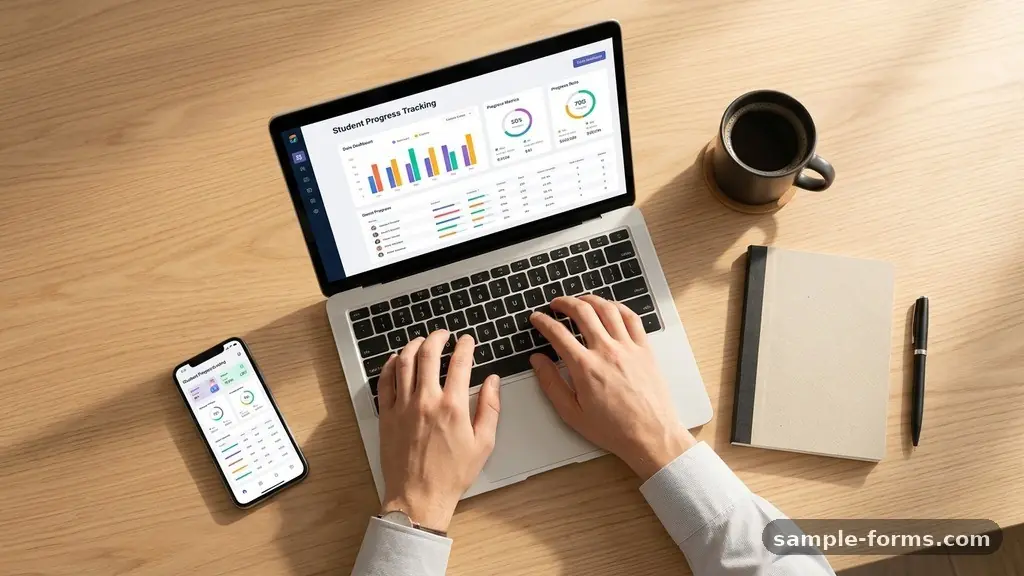
Successfully making a Student Progress Tracking Form begins with defining the specific goals you want to monitor for your learners. Educators who build these systems effectively find that they spend less time guessing about student needs and more time implementing targeted support.
By organizing both academic and behavioral data into a cohesive layout, you create a clear roadmap for success that benefits both the teacher and the learner. This process transforms abstract classroom observations into actionable insights that can be tracked over an entire academic term.
The most effective way to start making a Student Progress Tracking Form is to identify the core academic performance metrics you need to capture. You should begin by listing the specific learning objectives for each subject or skill set you are teaching.
Once you have these objectives, create columns in a spreadsheet or a digital table that allow for regular entry of scores, dates, and qualitative notes. By organizing this data by student name and date, you ensure that you can identify trends in performance before they become problematic.
Selecting the Right Software
Many teachers find that using a cloud-based spreadsheet is the most flexible approach for building these tools. Applications like Google Sheets or Microsoft Excel allow you to create automated formulas that calculate averages or flag students who fall below a certain threshold.
Alternatively, some educators prefer dedicated classroom management software that integrates progress tracking directly into their daily workflow. Whichever tool you choose, ensure it is accessible from multiple devices so you can record data during small-group instruction or while circulating through the classroom.
Defining Your Data Points
Your form needs a mix of quantitative grading and qualitative observations to provide a complete picture of a student’s journey. Quantitative data includes test scores, quiz results, and homework completion percentages, which give you a mathematical baseline for academic growth.
Qualitative observations, however, capture the nuance of a child’s engagement, such as their participation levels, social interactions, or struggles with specific concepts. Balancing these two types of data allows for more sophisticated differentiation strategies in your daily lesson plans.
Structuring the Layout for Efficiency
A well-organized form should prioritize ease of entry to ensure you actually use it consistently throughout the week. Keep the most frequently updated columns, such as daily participation or homework submission, on the left side of your document.
Use conditional formatting to highlight cells where a student has missed multiple assignments or shown a significant drop in test scores. This visual cue system acts as an early warning, allowing you to intervene quickly without needing to manually audit every row of data.
Implementing Feedback Loops
Data-driven instruction is most effective when it is shared with the learner through regular feedback loops. When you show a student their own progress over time, it fosters a sense of ownership and accountability for their academic performance.
Use the tracking form to schedule brief, one-on-one conferences where you review the metrics together and set new, achievable goals for the coming week. This transparency helps demystify the grading process and encourages students to focus on skill mastery rather than just the final letter grade.
Tracking Behavior and Social Growth
Academic success is often deeply connected to a student’s ability to regulate their behavior and engage with the classroom environment. Integrating behavioral tracking into your progress form provides context for why a student might be struggling with specific academic tasks.
You might include a simple checkbox system for tracking promptness, respectful communication, or the ability to work independently during group rotations. This holistic view is essential for teachers developing an individualized education program, as it highlights non-academic factors that impact learning outcomes.
Managing Parent-Teacher Communication
A comprehensive tracking form often serves as the primary record for parent-teacher communication logs. By keeping a section of your form dedicated to notes about parent contacts, you ensure that you have a chronological record of your outreach efforts.
Documenting the date of the contact, the method used, and the primary concern discussed helps you remain consistent in your follow-up. This level of documentation is invaluable during parent conferences, as it provides specific examples to support your observations about a student’s progress.
Refining Your Tracking Methodology
Regularly auditing your tracking form ensures it remains a helpful resource rather than an administrative burden. If you find yourself collecting data that you never actually use to adjust your instruction, remove it to save time.
Focus on the metrics that directly impact your ability to provide timely support, such as scores on formative assessment tasks or results from unit benchmarks. You can find more information on effective monitoring techniques through the Institute of Education Sciences to align your methods with current research.
Essential Components for Your Form
To build a robust system, you should organize your columns to capture the most critical aspects of student growth. The following table provides a recommended structure for your tracking document, focusing on both academic and behavioral markers.
| Data Category | Example Metric | Frequency |
|---|---|---|
| Academic Performance | Quiz and Exam Scores | Weekly |
| Skill Mastery | Specific Learning Objective Check-off | Daily |
| Behavioral Tracking | Engagement and Participation | Daily |
| Parent Communication | Log of Outreach Attempts | As Needed |
Common Pitfalls to Avoid
Many educators fail when they try to track too many variables at once. Start small by focusing on one or two key areas, such as math fluency or reading comprehension, before expanding to other subjects.
Avoid using overly complex formulas that make the sheet difficult to edit on the fly. Remember that the goal of making a Student Progress Tracking Form is to improve outcomes, not to spend all your planning time managing spreadsheets.
FAQ: Improving Your Tracking Process
How often should I update my student tracking form?
Consistency is more important than frequency, though most teachers find that a brief update at the end of each school day works best. If daily entry feels overwhelming, dedicate one longer session on Friday afternoons to record the week’s cumulative data.
Should I share this form with my students?
Sharing the data can be incredibly motivating for students, especially if you focus on growth over time rather than comparative ranking. Use the form to show them their own progress toward specific goals, which helps them understand the value of their hard work.
How do I handle sensitive behavioral data?
Always keep student data secure by using password-protected files or approved district-provided software. Ensure that your notes remain professional, objective, and focused strictly on observable behaviors rather than personal opinions or subjective judgments.
Can I use this form for IEP documentation?
Yes, these forms are excellent for tracking progress toward individualized education program goals. By keeping specific logs of interventions and responses, you provide the necessary evidence to show that a student is receiving the appropriate support required by their plan.
Conclusion
The process of making a Student Progress Tracking Form is a foundational step toward creating a truly responsive classroom environment. By prioritizing clear metrics and consistent documentation, you gain the ability to provide targeted support that meets each student exactly where they are. This system does not just save time; it empowers you to make informed decisions that directly influence student growth and achievement.
Start by selecting a simple format that fits your daily routine, and refine it as you learn which data points provide the most value for your specific instructional goals. As you continue refining your approach to making a Student Progress Tracking Form, you will find that your teaching becomes more intentional, more effective, and more rewarding for everyone involved.